search
AI OnAI Off


 workspace_premiumworkspace_premiumworkspace_premium
 workspace_premium
 I can reproduce this in CMS 13 with a regular CMS-uploaded image as well, so it doesn't seem to be DAM-specific.
With a sufficiently long filename, the filename in .image-name expands and pushes the ... action menu out of the visible image selector.
I tested adding min-width: 0; to .image-name in DevTools, and that was sufficient to allow the filename to shrink and make the ... menu accessible again.
So this looks like a flex/layout issue in the CMS 13 image selector rather than the option actually being removed.
What version are you working with? I believe this should be recently fixed (or coming shortly): https://world.optimizely.com/support/Bug-list/bug/CMS-56435


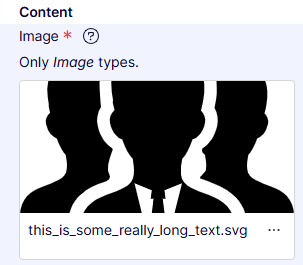
There is an issue in CMS 13 when an image name is so long that you are unable to change the image (without changing the HTML to reduce the size of the image name).
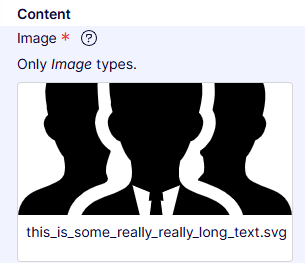
For example this name is too long for us to be able to see the options to change the image:
However the option to change the image is available when a shorter name is used:
This is especially problematic when using DAM images as we cannot drag and drop these from the right hand pane in the way CMS uploaded images can be.