
Introducing EPiServer Commerce Manager Enhancements
Commerce Manager comes with basic order search and -lists. To improve usability and make it easier to find orders we have developed various enhancements to Commerce Manager.
Included in the initial release:
- Improved Order Search with wildcard support for order and customer data
- More fields in order lists
- Filter orders per market
- Additional filters
- Order notes shown in lists
Installation
Locate and install the EPiServer Commerce Manager Enhancements (EPiCode.CommerceManager.Enhancements) package from the EPiServer nuget feed. The installation overwrites some of the files in the Apps folder in Commerce Manager. You need to install the Commerce Manager Package prior to installing this package.
Note! Only install the package on Commerce Manager Sites!
Additional columns and filters
Default view

Updated view
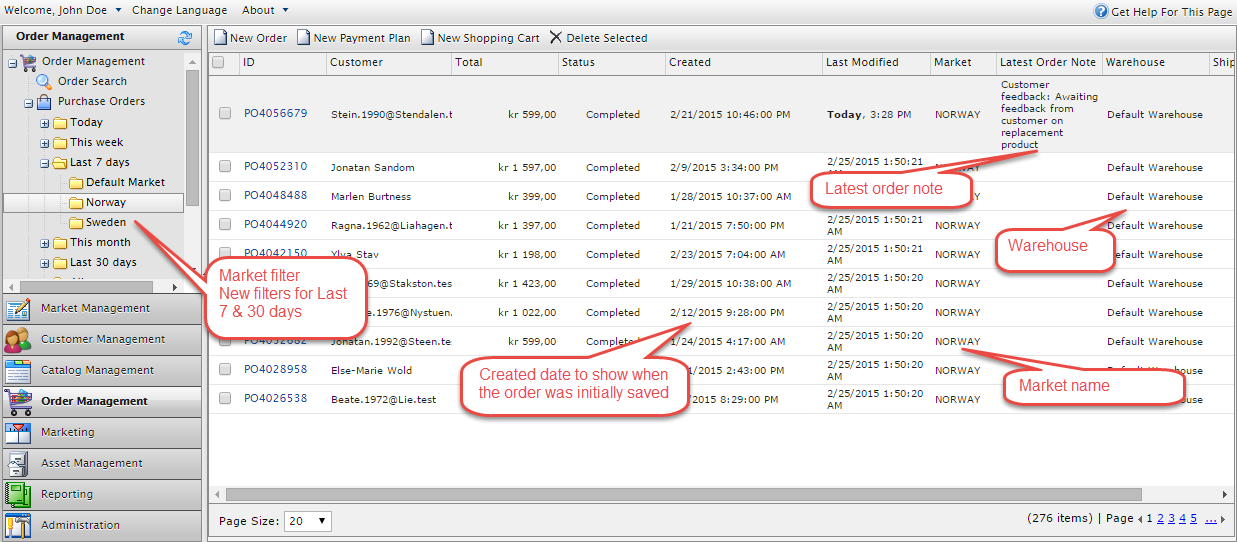
New columns
Created date, latest order note, market id, warehouse name and shipping are added to the view for both listings and search results.
New filters
This week and this month will show orders for a given week number or month. The enhancements add new filters for “last 7 days” and “last 30 days”.
All filters include additional filters for market. This goes for both date range filters and order status filters.
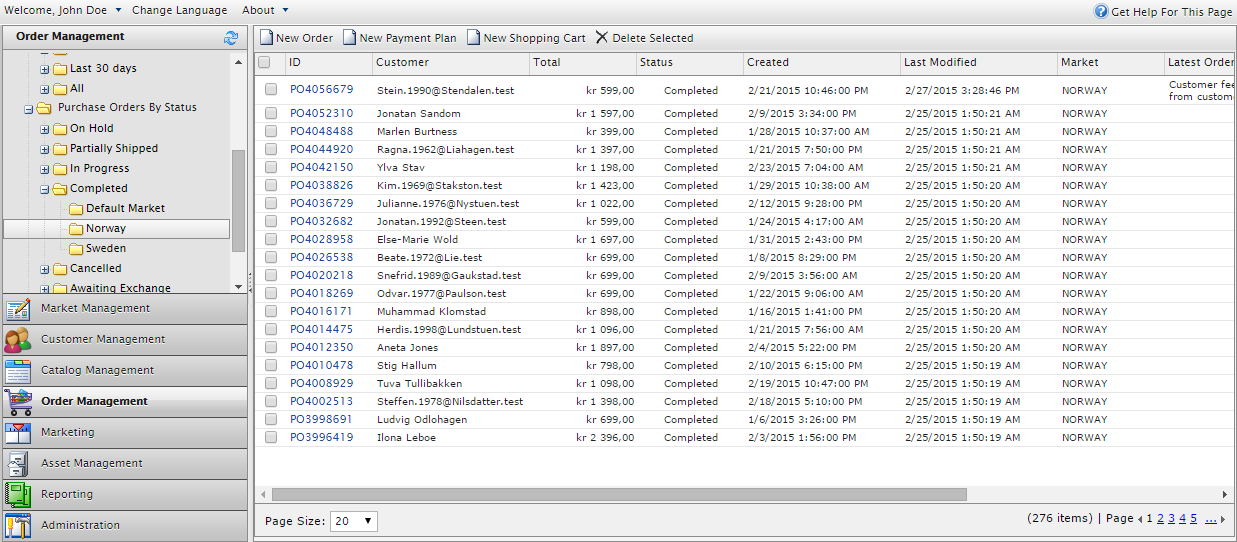
Note! If you have several markets, the tree node filtering may clutter your left menu. By adding UseDropdownMarketFilter with value true to appSettings, you get a dropdown menu instead.

Extended order search

Wild card search
All input fields (ID, Customer, Mail and Phone) have wild card options. The wildcard character ‘*’ may be entered anywhere in the search term.
Example:
Joh* -> John Doe, Johanna Barker, John Carlson
*on -> John Carlson, Karen Carlson
Jo*on -> John Carlson
Search by date
New date range options have been added including “Last 7 days”, “Last 30 days” and “Custom” with start and stop date. When searching by date, both created and modified are considered.
How to contribute
Feel free to contribute by forking the repository https://github.com/BVNetwork/CommerceManagerEnhancements. Pull requests are most welcome.
This is VERY cool!!!!!
I am glad you like it Michael. Hopefully there will be more coming later. If you have any ideas of limitations/improvements, I am greatful if you share them?
Cool!
What version of Commerce is required?
Any other dependencies?