


Working with Resharper 2017.3 custom TODOs and backlog systems
As a senior developer here at https://www.redweb.com/ leading a team building Episerver websites I'm always keen on enhancements to make productivity better. One such tool that every developer in our team uses is Resharper and for a long time we have used it's numerous benefits such as
- Better code highlighting
- Suggestions and fixing of errors (great for juniors)
- Snippets
- File templates (this a favourite and great for autogenertaing viewmodels, controllers and views when creating the model file)
With the latest update of 2017.3 https://www.jetbrains.com/resharper/whatsnew/ came a great new expression and external url feature with custom TODO types. This is really handy for a team such as ours that works with a backlog in Visual Studio Team Services but would work for any external tools such as Jira or GitHub.
Overview
Essentially for a while Resharper has had a feature that allows you to create custom TODO types in code. This allow you to use resharper's TODO browers to view these different grouped TODO types and have them highlighted and presented in the editor differently.
Now the cool thing that's been added and supports work systems is the ability to support pattern matched URL and link/preview them.
For example I have created the following config for User Stories, Tasks and Bugs in VSTS
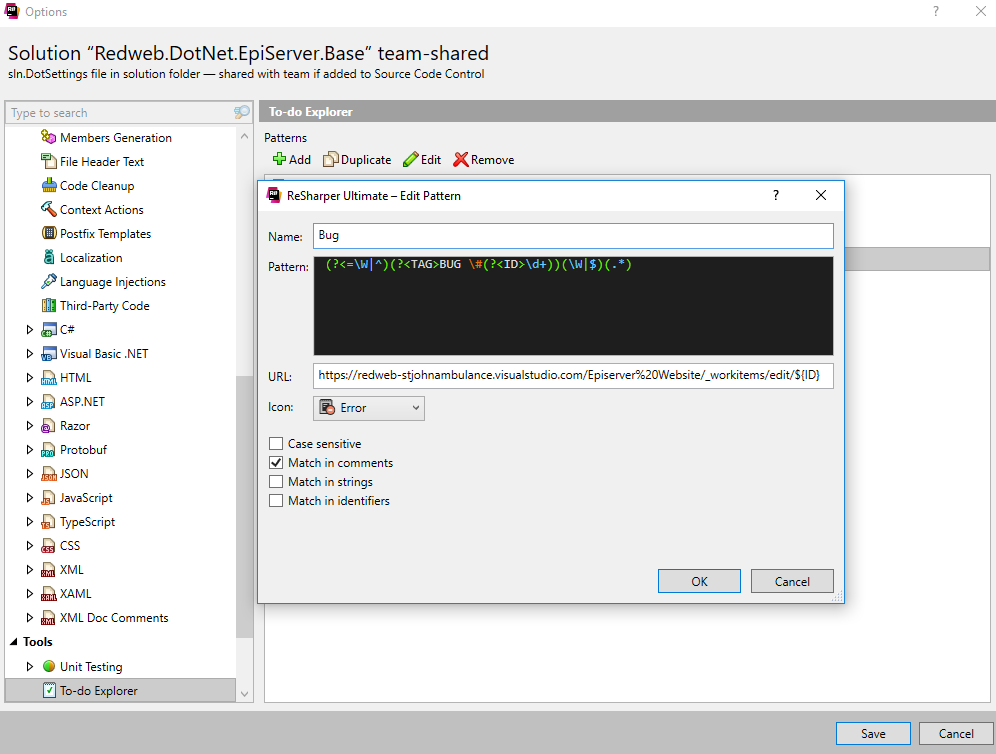
Once this has been created you can insert these custom types in comments with links to the work item ID and it become a link to the item.
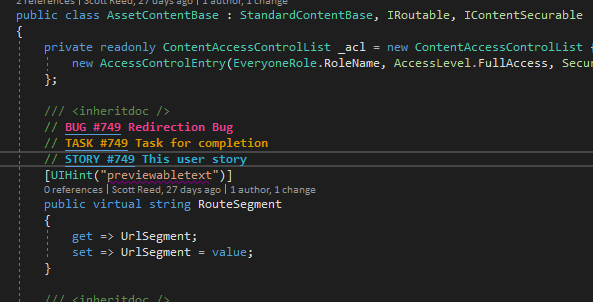
In my opinion this really helps especially if you are a senior to assign work to users and put the links to this work directly in the code where it needs to be actioned.
It also helps you search and find any user stories, tasks and bugs within the code left over with the filterable TODO explorer
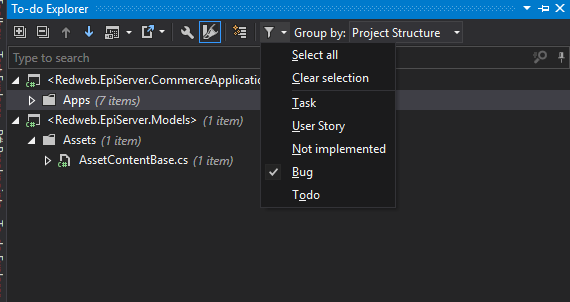
This also could be used for a range of great usages such as
- Linking to documentation
- Linking to a stack overflow issue
Let me know what you think :-) Thanks
Comments