

Introducing Tasks in Content Approvals (Beta)
This feature is released as a Beta feature in CMS UI 10.5.0 and is still under development.
You can read more about how you enable Beta features in Fredrik Tjärnberg’s blog post.
What are Tasks?
The Tasks pane is a useful tool for editors to monitor content creation. You can filter out content depending on their status, for example, select Drafts in the Tasks drop-down to get a list with content items in status Draft only.
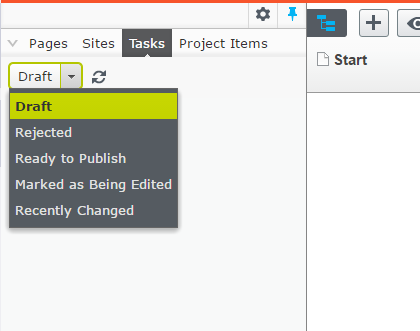
Tasks with Content Approvals
The Tasks drop-down list can now be used to display content in a certain stage of an approval sequence, in a way that helps the editor to know what to focus on.
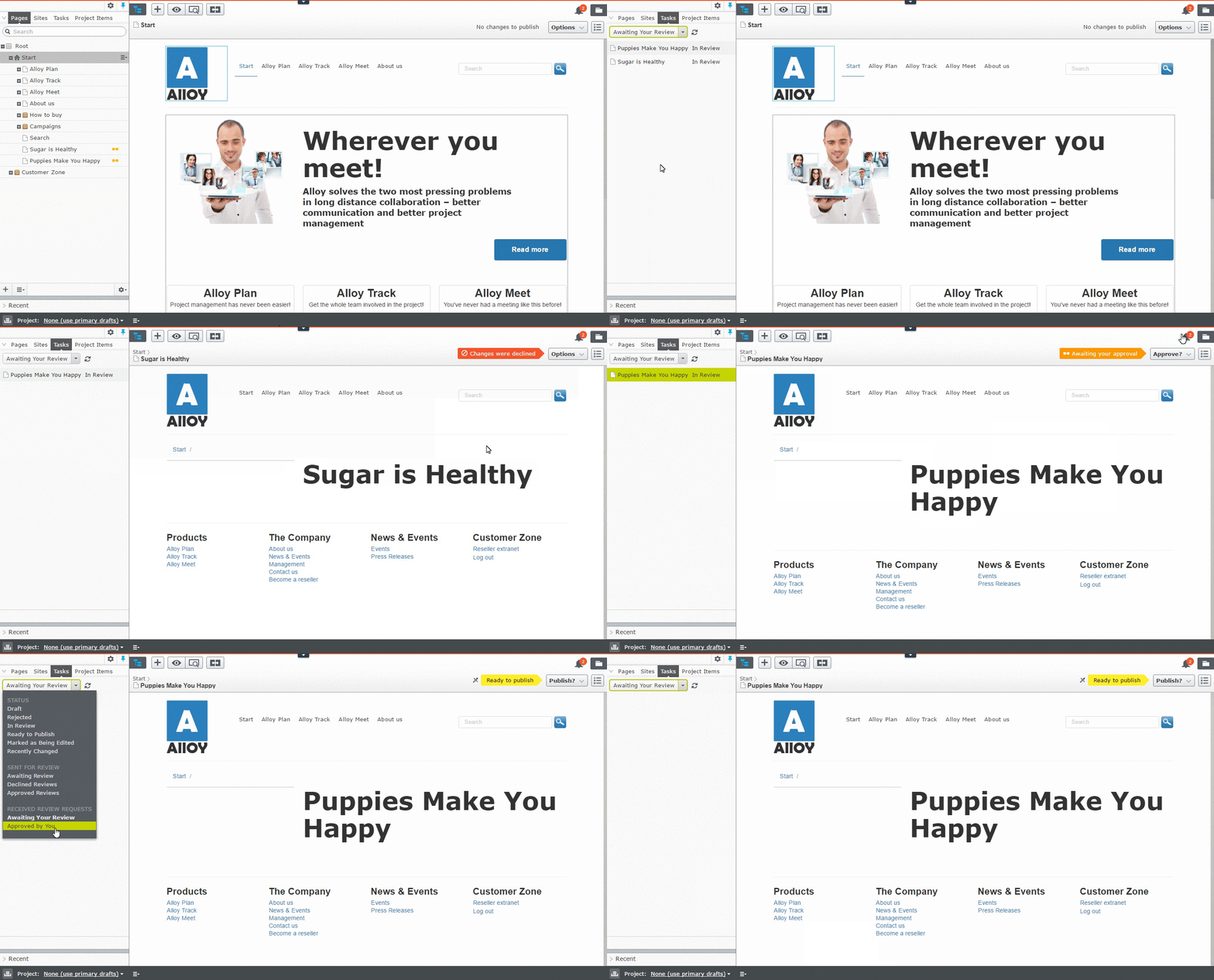
For example, Alfred has sent two pages for review, and the approval sequence is set up to allow either Lina or Emil to approve. Lina uses the Tasks pane and Received Review Requests > Awaiting Your Review to see what content she has to review and do some work:
Bonus feature: Categorized Tasks Queries
As part of this release, we added grouping support to the Tasks menu. As you can see in the screenshot below that there are three main categories: "Status", "Sent for Review", and "Received Review Requests".
Any other query will end up in a category labelled "Other", and you can easily put them in an existing or a new custom category.

Bonus feature: Optional Localization Support with IContentQuery and IContentQueryCategory
Often you might end up implementing the query’s DisplayName using the LocalizationService. Like this:
// No need for this anymore
public override string DisplayName => _localizationService.GetString("/awesomequeries/super/label");
It’s so common that we made it simpler by allowing DisplayName to be a key and it will be used with the ILocalizationService to return the localized display name.
// Do this instead, if you use the LocalizationService
public override string DisplayName => "/awesomequeries/super/label";
Comments