Grzegorz Wiecheć
Mar 31, 2021
visibility 2953
star star star star star
(3 votes)

Keep side panes active when editing block

In Episerver CMS UI 11.34.0, we added small improvement to quick block editing.

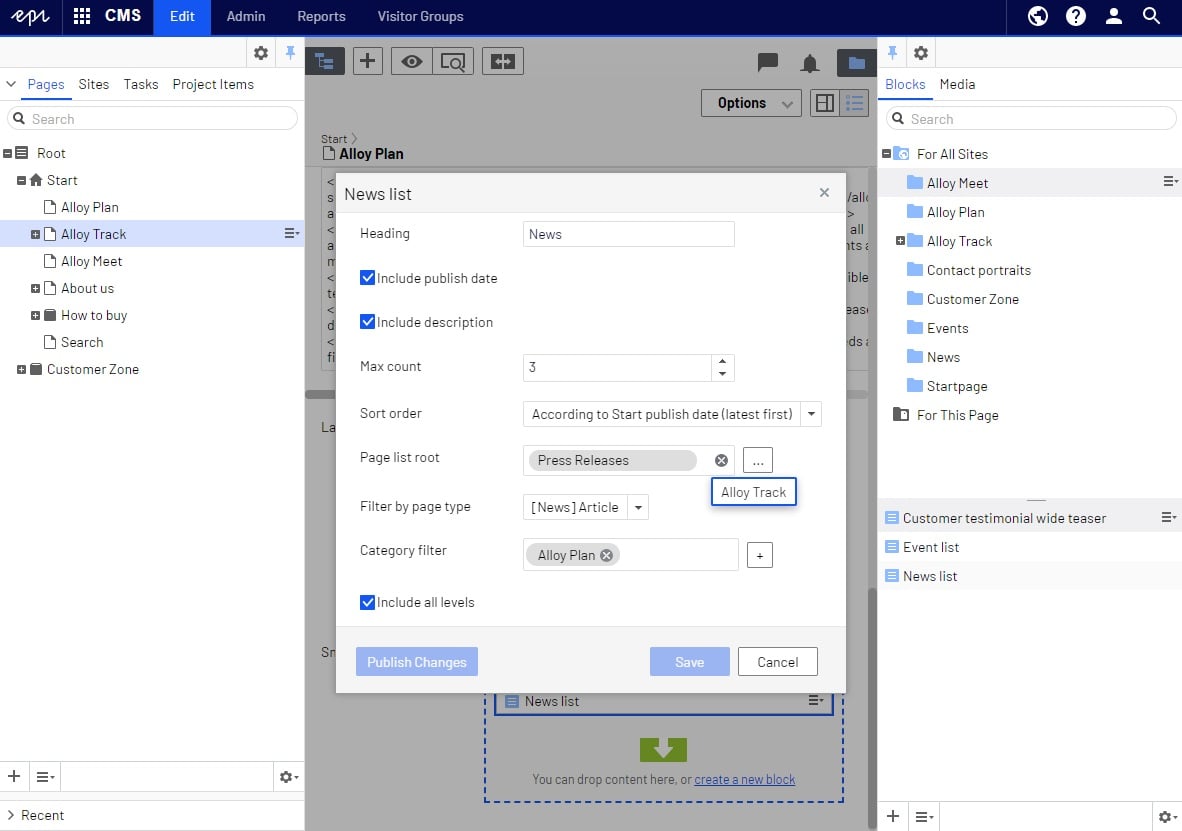
Now, only the main editing area is greyed out and the editor can use the page tree and assets pane to drag and drop content to a ContentArea in a dialog box. 
Mar 31, 2021

Comments

Ravindra S. Rathore
Ravindra S. Rathore Mar 31, 2021 09:13 AM

Nice to see this. It will be helpful for editors

David Knipe
David Knipe Mar 31, 2021 10:36 AM

A wonderful and useful addition!

Scott Reed
Scott Reed Mar 31, 2021 10:37 AM

Nice, I oven have overridden the CSS for when using property lists for the exact same reason.

Karen McDougall
Karen McDougall Apr 6, 2021 10:49 AM

This is great! Thanks!

error Please login to comment.
Latest blogs
Automated Search & Navigation to Graph Migration with Claude Code

A Claude Code plugin that scans your S&N codebase, applies Graph SDK transformations, and validates the result. Install once, run one command. CMS ...

Connor Fortin | Jun 24, 2026

Migrating from Find to Graph: Lessons Learned from a Real CMS 13 Project

While migrating a search solution from Optimizely Search & Navigation (Find) to Optimizely Graph in CMS 13, I encountered several issues that were...

Binh Nguyen Thi | Jun 24, 2026

Optimizely: Upgrade Opti-ID and .NET 10 in CMS 12

Many Optimizely customers are planning their roadmap around a future migration to Optimizely CMS 13. As a result, upgrades such as Opti ID adoption...

Madhu | Jun 23, 2026 |

Understanding Optimizely Graph: Caching, Webhooks & Avoiding Stale Content (Optimizely SaaS CMS)

📌 Scope: This post covers Optimizely CMS (SaaS) only — using the official @optimizely/cms-sdk and @optimizely/cms-cli packages with Next.js 15. If...

Kiran Patil | Jun 23, 2026 |