

Sticky View Mode
In previous Episerver versions, a default view for the current content type was loaded when you navigated the content tree. By using a UIDescriptor, it was possible to change the default view for a specific ContentType. For example, in Alloy demo source code, ContainerPage has a default view set to AllPropertiesView.
[UIDescriptorRegistration]
public class ContainerPageUIDescriptor : UIDescriptor<ContainerPage>
{
    public ContainerPageUIDescriptor(): base(ContentTypeCssClassNames.Container)
     {
         DefaultView = CmsViewNames.AllPropertiesView;
     }
}
As a part of Episerver 10.11.0, we are introducing a new feature called “Sticky View mode”.
“Sticky” means that, when navigating the content tree, the previously used view is loaded instead of the default view. This functionality is enabled for every content type by default.
Whenever you change the view using the toggle button, the currently selected view is saved in the local storage and is used when you change the context.
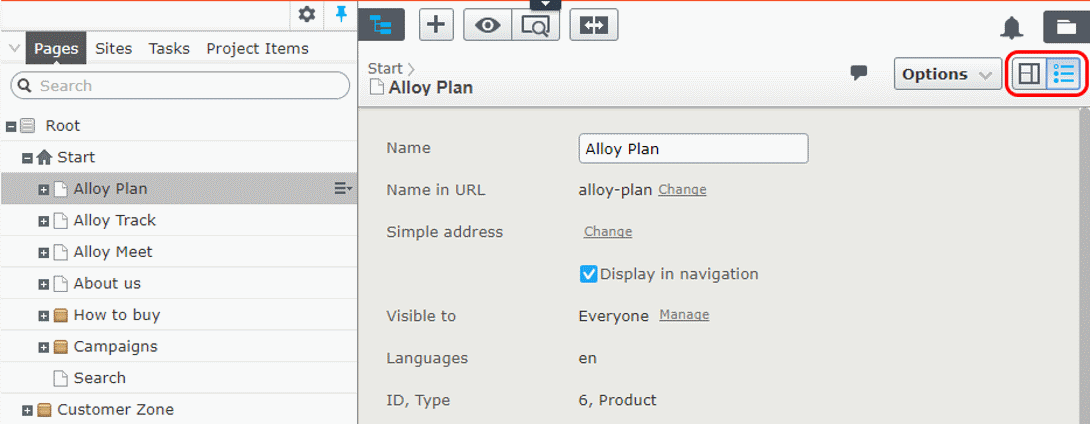
If a saved view is not available for the current content type, then the default view for that content is loaded.
Disabling Sticky View mode
Sticky View mode can be disabled per content type. In UIDescriptor, there is new property EnableStickyView. If you want to turn the feature off, this property should be set to false.
For example, if you would like to force the All properties view to be the default view for StartPage, then EnableStickyView should be false and DefaultView should be set to AllPropertiesView.
[UIDescriptorRegistration]
public class StartPageUIDescriptor : UIDescriptor<StartPage>
{
    public StartPageUIDescriptor(): base(ContentTypeCssClassNames.Container)
    {
        DefaultView = CmsViewNames.AllPropertiesView;
        EnableStickyView = false;
    }
}
This is welcomed! thx
It's the small things, like this, that makes you more productive, and love the CMS.
Please also make MenuPin a part of the main product + something like this :-)
Really good update, this has bugged me for a while! Agree with the above comment as well about MenuPin :)
Best feature since sliced bread!