
Using Google’s structured data to improve your SEO in Optimizely's B2B Configured Commerce
Introduction
Following proper markup standards for search engine optimization is imperative for the success of every website. While Optimizely B2B’s platform properly follows the guidelines for setting structure data for google to crawl on the pages that come out of the box, it’s important to make sure any new pages follow similar guidelines depending on the type of page.
The way any content management system provides the ability to create dynamic content easily in small containers can make it difficult to apply structured data. To make it easier with Opti B2B, XCentium has developed extension pages that have structured data properly in place for the specific page type.
Google search has structured data types for many specific content pages outside of eCommerce pages including the following:
- FAQ’s
- Articles
- How-To's
- Events
- Breadcrumbs
- Job Postings
We find that our clients often require a “Frequently Asked Questions (FAQs)” page on their website. Google offers a structured data format for FAQ pages and individual question/answer pairs to create rich results on google search and actions with Google Assistant, see below for how frequently asked questions rich results could appear in search results for your website:
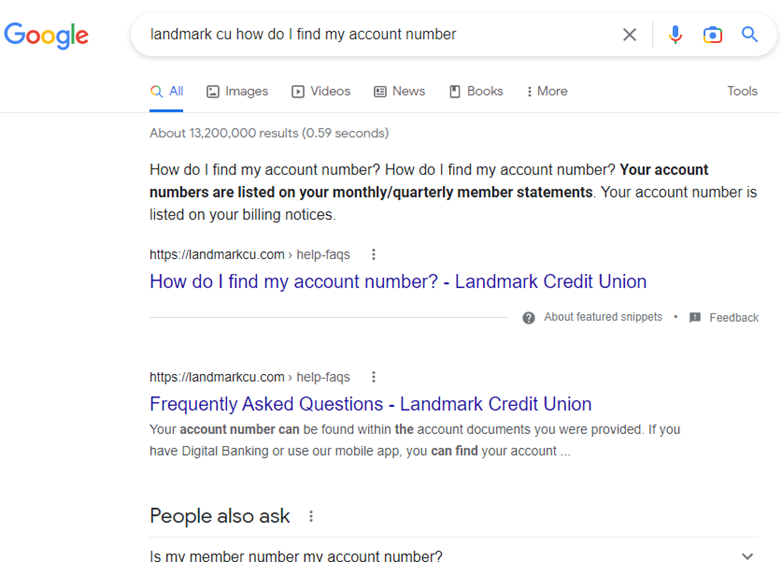
So, XCentium has leveraged the ability to create custom page types and widgets to build out elements that leverage Google’s structured data, allowing your team to simply create FAQs on your FAQ page that will automatically tag the HTML with the correct structured data elements necessary for Google to identify the elements of the page as being used for FAQs.
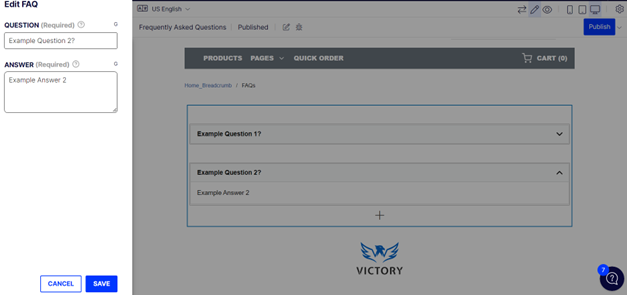
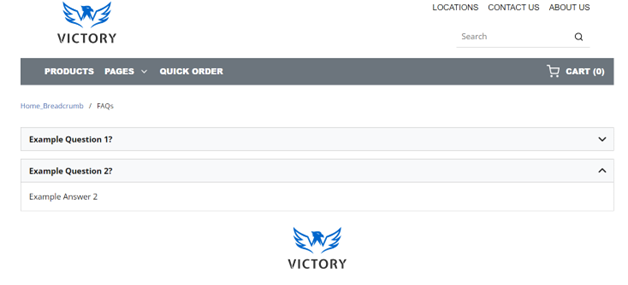
In Optimizely B2B’s CMS it’s as easy as adding an “FAQ” widget, populating the question and answer fields, and then arranging it on your FAQs page as you would with any other widget, shown here in the Spire CMS:
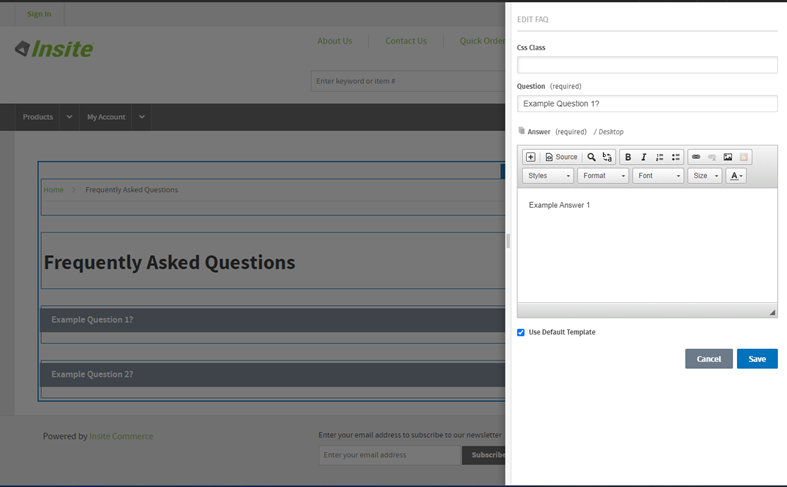
We have also adapted the same logic to work with the Classic CMS:
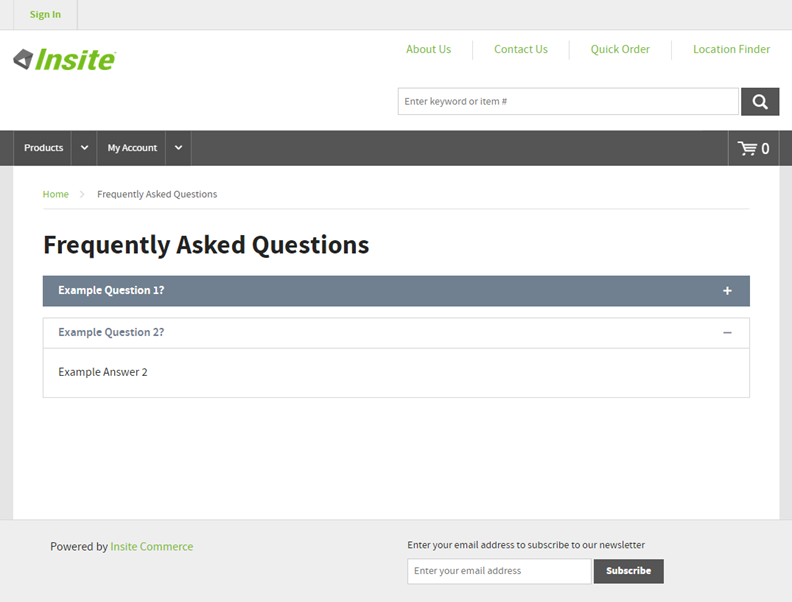
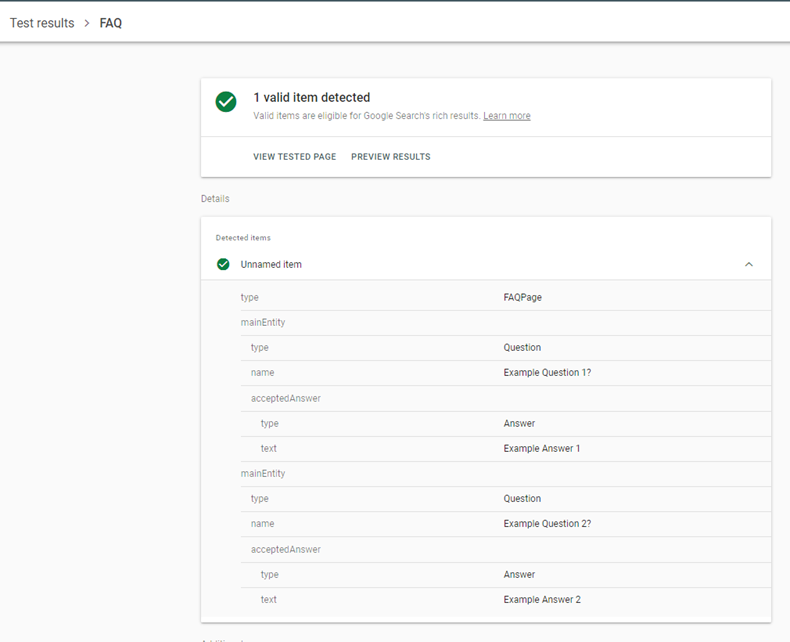
See how Google recognizes the markup as valid FAQ structured data for the above screenshots:
We at XCentium have applied this same logic to other specific content pages like the ones listed above, including blogs/articles, events, and how-tos.
Comments