
Using Microsoft cognitive services to improve content sentiments
In this blog post, I will describe how we have utilised Microsoft cognitive services (Text Analytics API) to analyse content before a content author publishes it so it can be rewritten in a more positive tone. The Text Analytics API uses a machine learning classification algorithm to generate a sentiment score between 0 and 1. Scores closer to 1 indicate positive sentiment, while scores closer to 0 indicate negative sentiment.
Content author will be encourged to rewrite content if a score closer to zero is returned - the idea is to make sure our content conveys the message in a postive manner.
A working example can be seen below and all the code is in github.
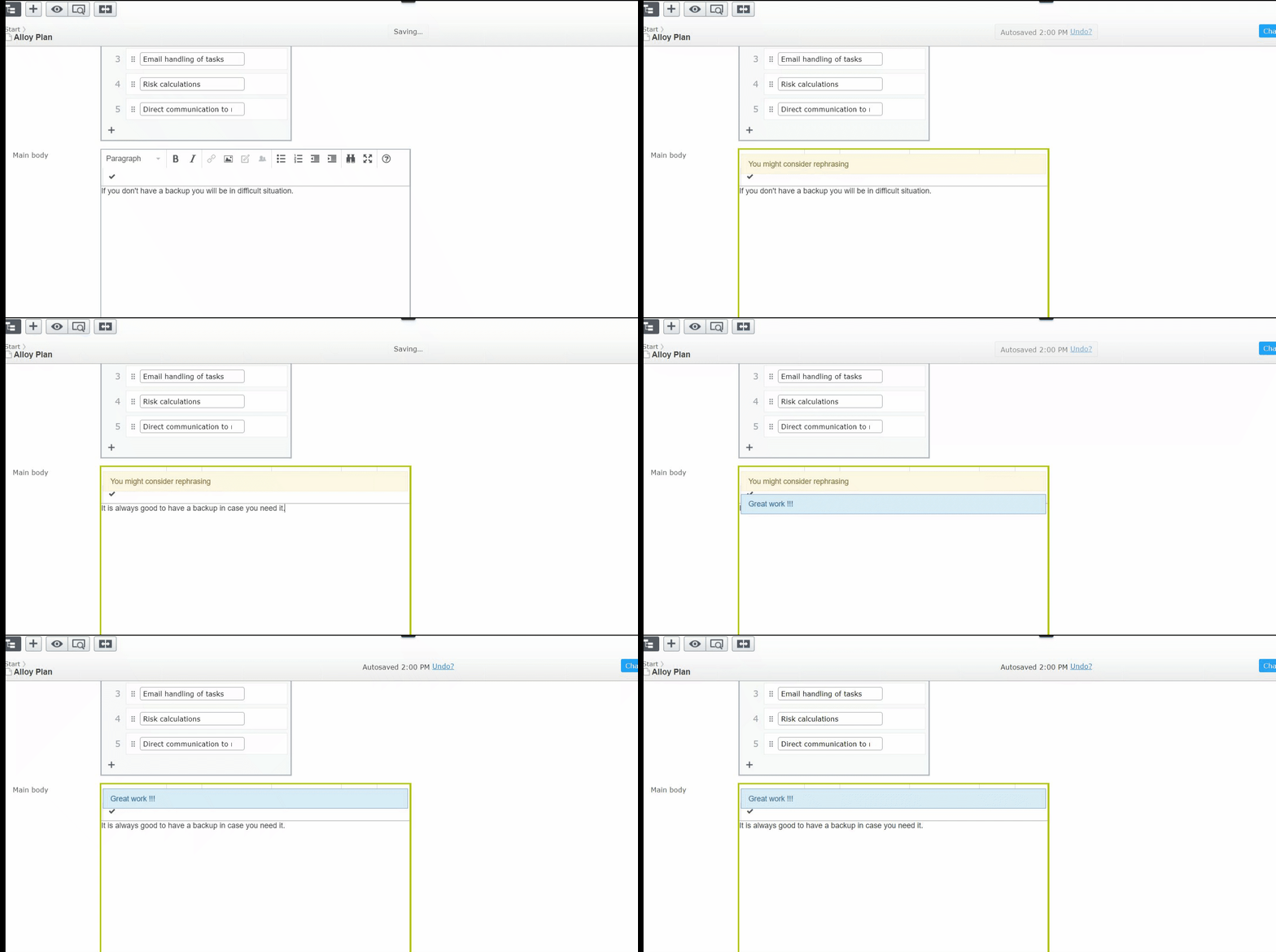
The basic steps are as follows
- Create a Microsoft azure account and subscribe to Microsoft cognitive services. You will need the end point and a key. A detail documentation can be found here
- Create a plugin (button) in tinymce
- The button when clicked will call a server side web api and pass the tinymce content alongwith via an ajax call.
- Create a server side web api controller to process content
- This controller will receive the content from tinymce and will call microsoft cognitive services to analyse sentiments of the content
Visual studio solution architecture:
- Use visual studio extension to create basic episerver alloy vinealla website.
- Install the following nuget packages
- install-package Microsoft.AspNet.WebApi
- You will need to configure some basic routes ( see the working example)
- install-package Microsoft.Azure.CognitiveServices.Language.TextAnalytics
- You will need to configure Cognitive services in Azure portal and then copy/paste the key in the sample
- install-package Microsoft.AspNet.WebApi
Once it is configured, the backend code is all setup.
For front end code, I have utilised yomen TinyMCE Plugin Generator to generate a tinymce plugin. More documentation can found here. Simple code to add a button to tinymce editor which when clicked will made an ajax call to backend web api and show the result to end use.
(Please note the code share is a basic example of making it all work together and it is not production ready code)
Comments