


Special editor toolbuttons for administrators
In one recent project I had the need to give the administrators some extra editor toolbuttons over the default set setup for the general editor. I googled a bit but didn't find exactly what I was looking for.
Finally I found an exaample in the documentation on how to create a global editor settings from code with the possiblity to add buttons for administrators.
Ok so this seems to do the trick except that I wanted the SuperAdmins to be able to configure this from admin mode instead of having everything created from code.
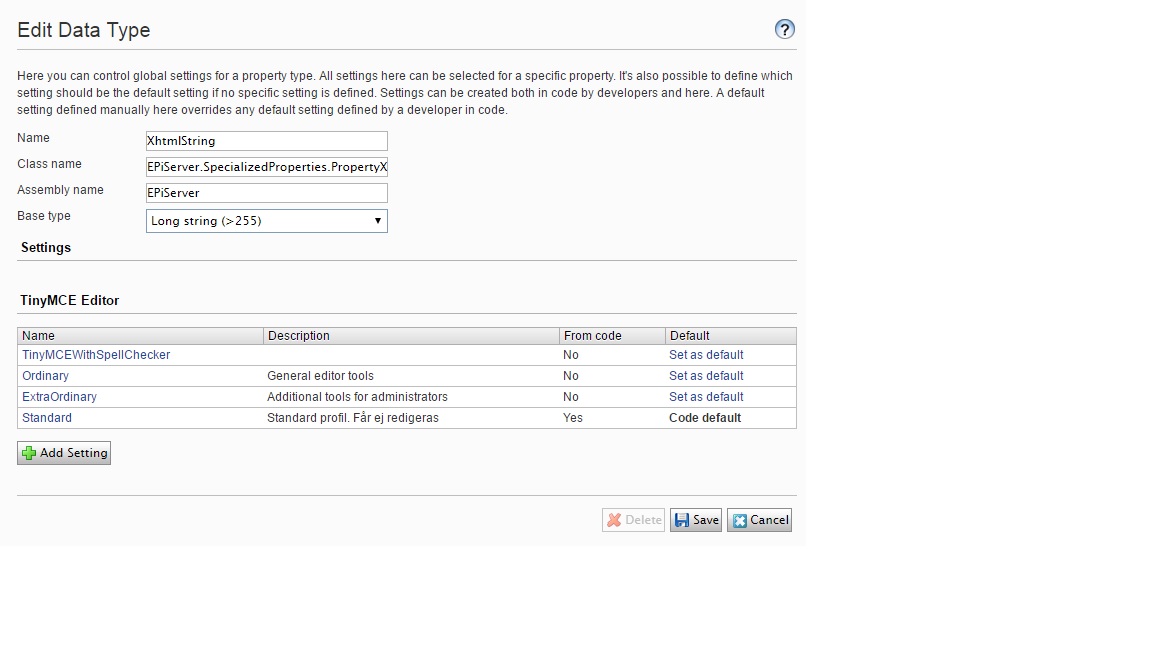
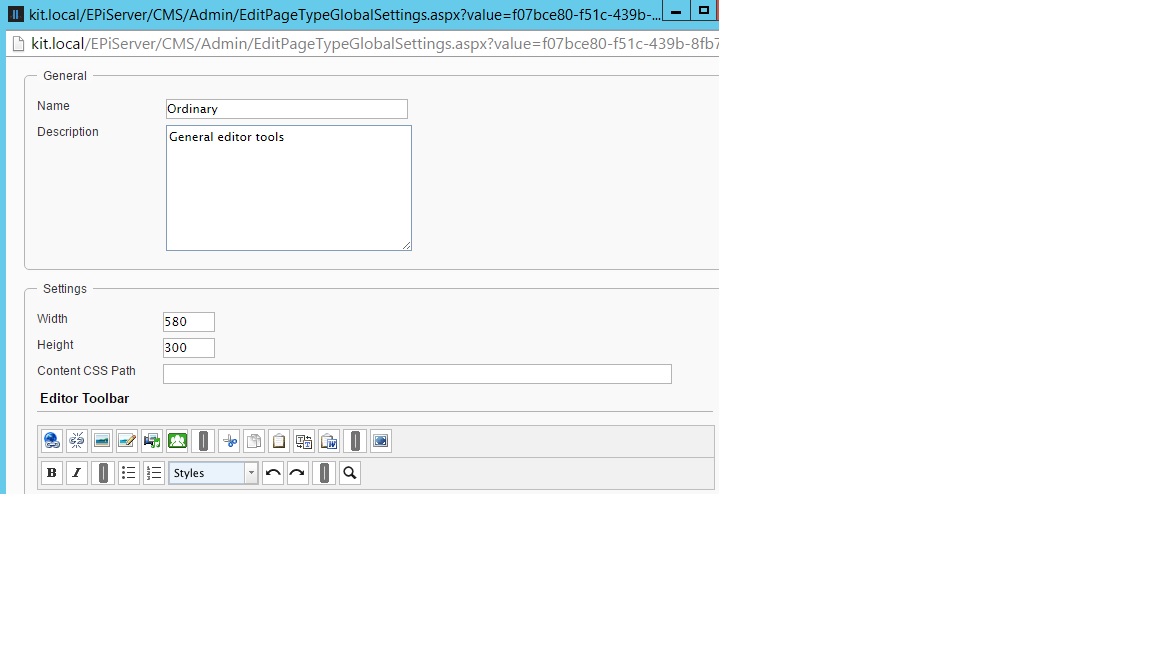
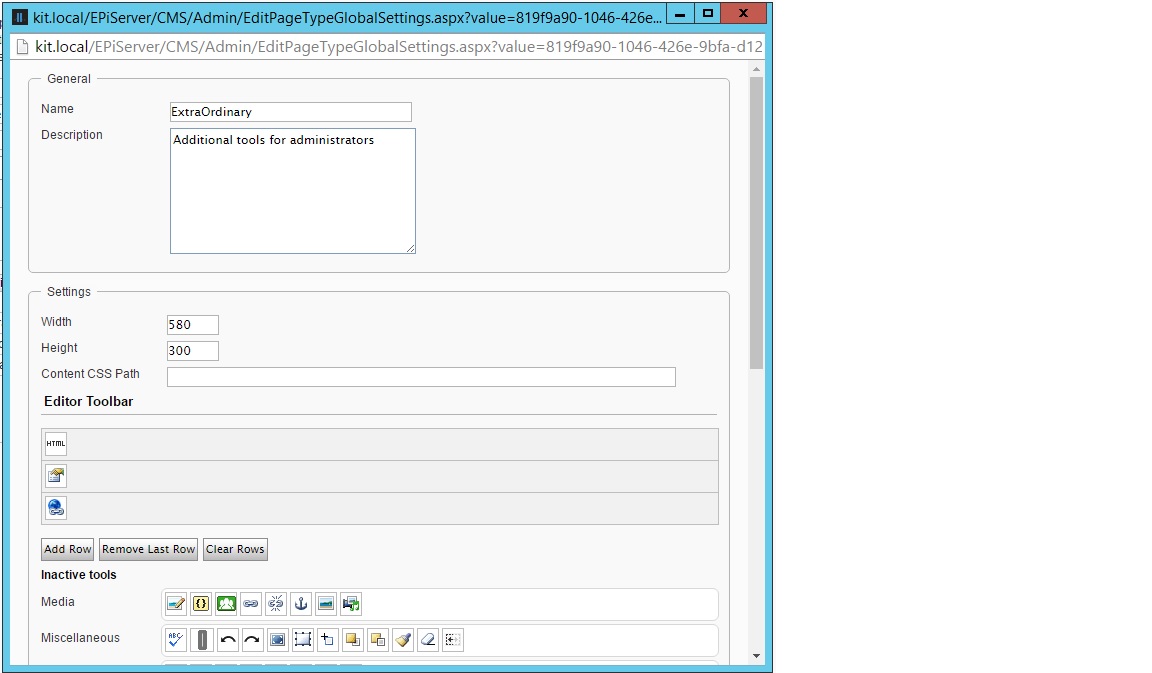
So I solved this by defining two global settings via admin mode. On "Ordinary" for the general editor and one "ExtraOrdinary" for the admin editors and combining those in the global setting.
Code over at my gist
This is how it looks in admin mode:
1. Settings
2. Ordinary toolbars
3. ExtraOrdinary toolbars
Here the last toolbar contains a duplicate that already exists in the Ordinary setting.
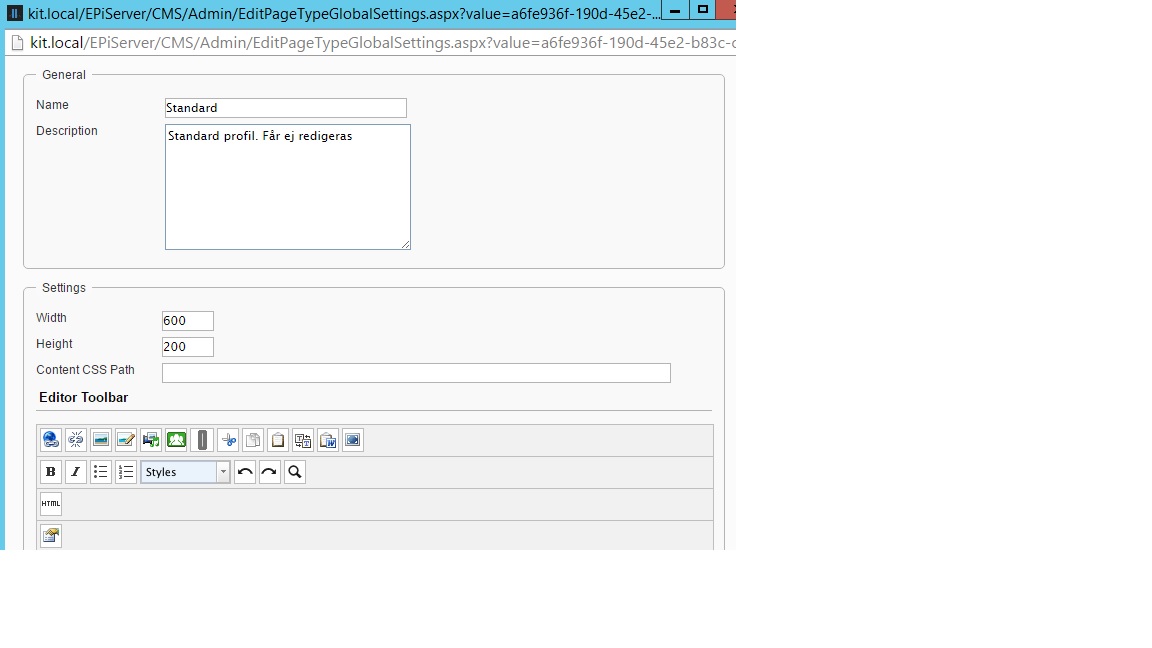
4. The result when looking in the code created profile logged in as an administrator.
Note that the duplicate link-button has been removed. If duplicates isn't removed the code doesn't work.
Code over at my gist
Comments