
EPiServer CMS XForm Search Gadget
In EPiServer CMS 6, XForms and their respective posts found a new home in the Dynamic Data Store (DDS). As the DDS has a Language Integrated Query (LINQ) enabled API, the opportunities for searching through XForm posts increased greatly.
With that in mind, I decided to develop a gadget with the target audience being site editors / owners / marketing guy, rather than developers.
Once the gadget has been installed using the EPiServer Deployment Center, it can be found in the EPiServer Online Center of the chosen site:
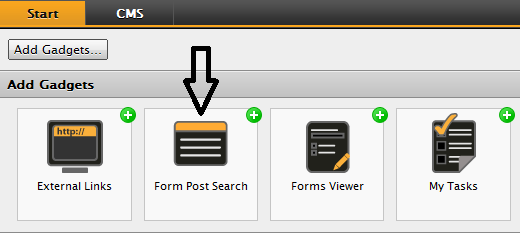
Once added to your dashboard, you select the XForm whose posts you want to search in:
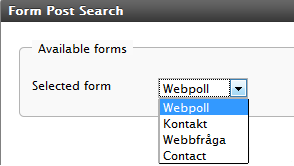
Once the XForm has been selected, you are then presented with a search input panel to allow you to filter your search results:
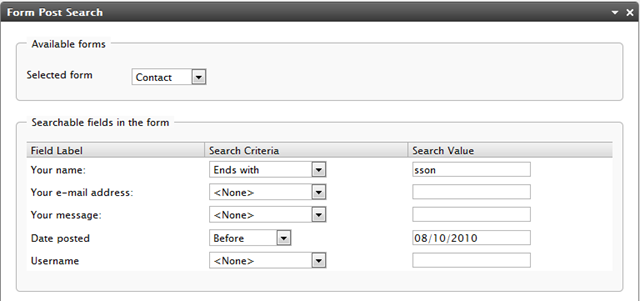
The search can be filtered by all of the input fields on the XForm along with the post date and username of the poster.
You can then decide how to sort the output and which format you would like it in:
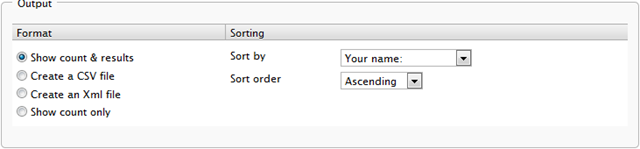
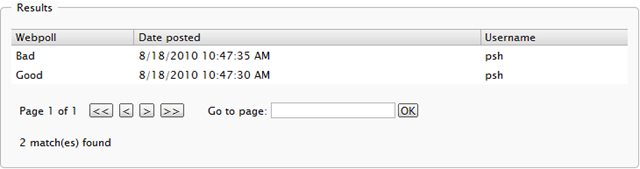
Once you’ve clicked the Search button, you should see the output either in the gadget or as a file download, depending on what format you chose:
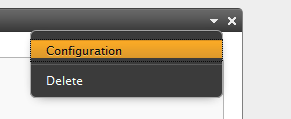
The gadget can be configured using it’s menu in the top right hand corner:
The number of results per page as well as the CSV output value delimiter can be configured:
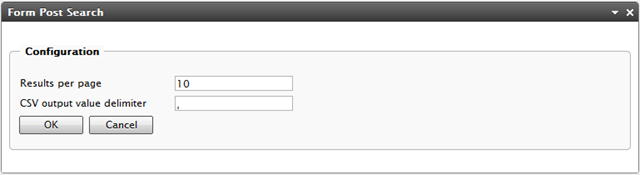
The default CSV output delimiter is a comma. Note that users whose Windows Region and Language settings are set to a locale that uses commas in numbers (such as Sweden) will need to set their CSV value delimiter to the appropriate value (semi-colon is used in most cases).
The EPiServer Deployment Center installation module for the gadget can be found here and the full source code here.
Developers are welcome to amend and customize the gadget as they see fit or just use it as is. It is currently localized to English and Swedish and uses the EPiServer CMS Language System (lang files) for internationalization. To localize to a new language you will need to edit the XFormSearchGadget.xml file in the site's lang folder.
Please note that the gadget is provided ‘as is’ without any warranty, guarantee or official support from EPiServer. With that said, if you do find any bugs or want to give feedback then that is always welcome by commenting on this blog or by emailing paul <dot> smith [at] episerver {dot} com.
This just saved me some time. Thanks a lot.
Is it possible to override functions in the CMS to alter the Composer XForm Data search page. I have encrypted the data going into the Database but cant find away to decrypt the data when exporting to XML and Excel etc.
Does any one ever reply to posts on this forum?