Linus Ekström
Apr 16, 2013
  4508
(0 votes)

Sending settings from the server to your editor

I got a question how you can send settings that are defined on the server to an editor. It’s really quite simple so lets have a look on a simple example. We start by defining an editor descriptor and adding an entry in the EditorConfiguration dictionary:

[EditorDescriptorRegistration(TargetType = typeof(string), UIHint = "author")]
public class AuthorEditorDescriptor : EditorDescriptor
{
    public AuthorEditorDescriptor()
    {
        ClientEditingClass = "alloy.editors.AuthorSelector";
        EditorConfiguration["foo"] = "bar";
    }
}

The settings in the EditorConfiguration dictionary is mixed on to the editor instance when started so you can access these settings as they were regular properties of your editor. This sample checks the value of foo in the postCreate-method:

postCreate: function () {


    if (this.foo === "bar") {
        alert("Happy happy joy");
    }
},

And when the editor starts we get:
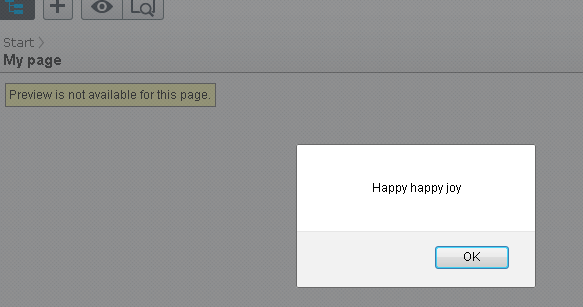
image

Apr 16, 2013

Comments

Please login to comment.
Latest blogs
Introducing the Optimizely MCP Server: AI That Speaks Commerce Part-II

— Part 2 · Build Update · B2B Commerce From conversation to completed transaction. Part 1 gave AI the ability to speak commerce. The latest release...

Vaibhav | May 29, 2026

Finding Thomas Part 1 - The Observation Post

Meet Thomas Thomas is the returning visitor who has been to your site forty times but has never filled out a form. He opens every newsletter but...

Ritu Madan | May 28, 2026

Extending the Optimizely 11 Link Validation job with custom exclude patterns

This might be common knowledge but I have never done this in all my years working with Optimizely solutions. On a customer I noticed that the link...

Per Nergård (MVP) | May 28, 2026

Optimizely SaaS Visual Glossary

Recently I came across Optimizely SaaS CMS Glossary: https://docs.developers.optimizely.com/content-management-system/v1.0.0-CMS-SaaS/docs/glossary...

Kiran Patil | May 28, 2026 |