

New templates and “getting started” experience
Since we released CMS 12 and Commerce 14 our “getting started” experience has been lacking a bit. We decided to not upgrade our Visual Studio extension and instead rely on the new dotnet new experience. This meant that we had no item templates or the old trusty Alloy sample site available for CMS 12. We initially released two templates to create empty Content Cloud or Commerce Cloud projects and a CLI tool to create and manage databases. But we felt we could improve this experience further.
First, we decided to open source our templates so the community – you – can contribute and report issues. The new templates are now located on GitHub at https://github.com/episerver/content-templates.
When you install the templates they will be available from the command line as well as show up in the “New project dialog” in Visual Studio 2022 and later. In Visual Studio 2019 this can be enabled by toggling a preview flag, see https://devblogs.microsoft.com/dotnet/net-cli-templates-in-visual-studio/. Unfortunately, the item templates are not available in Visual Studio yet, but there are plans from Microsoft to enable this in the .NET 7 timeframe.
Install the templates by running following command:
dotnet new --install EPiServer.TemplatesWe also set out to make the templates cross-platform by enabling basic Docker support. The Docker support is not meant to be used when deploying the application, but rather as an effortless way to get started without the need to install Microsoft SQL Server.
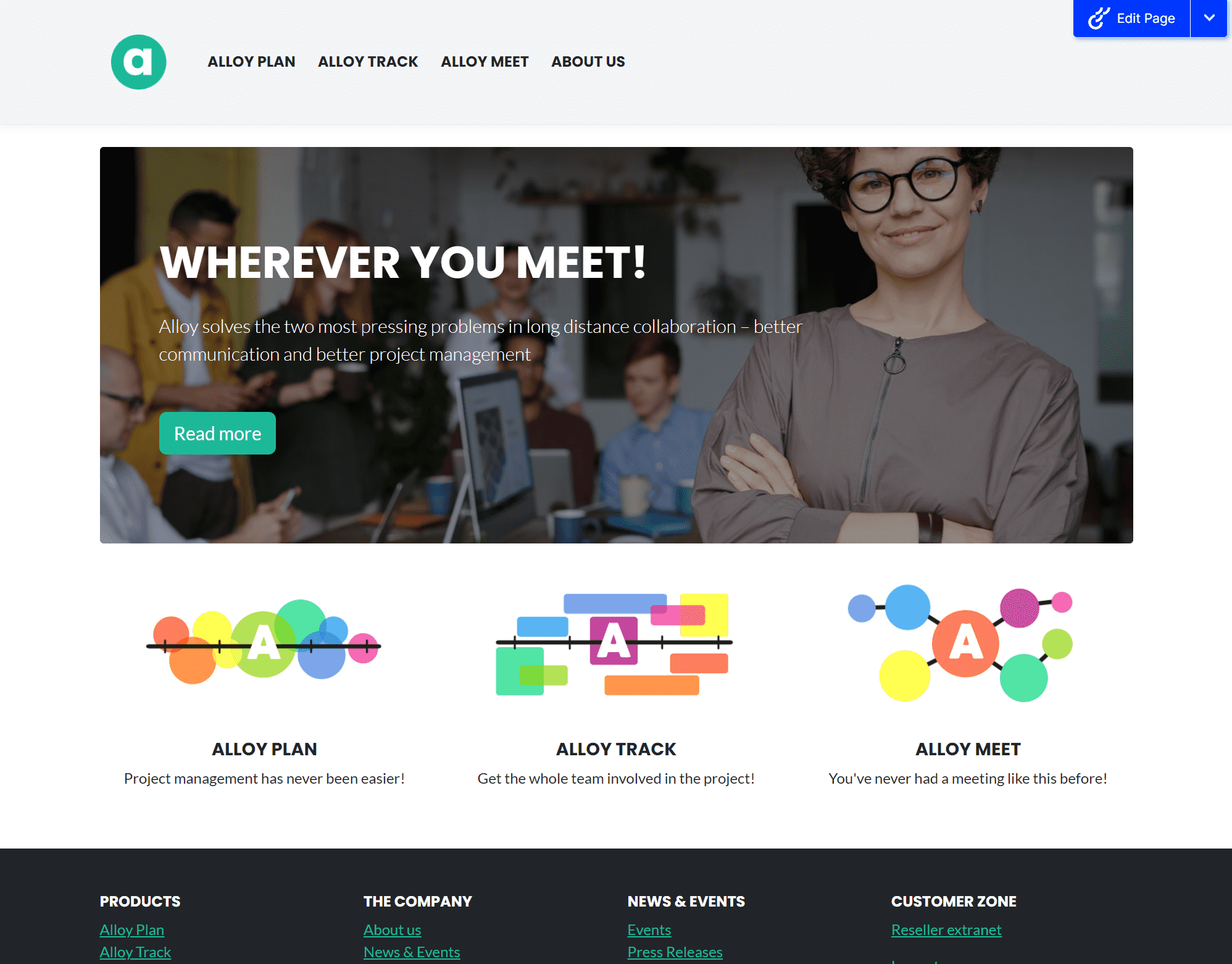
The Alloy templates also got a bit of a refresh. We updated Bootstrap to the latest version and updated the look and feel to be a bit more modern.
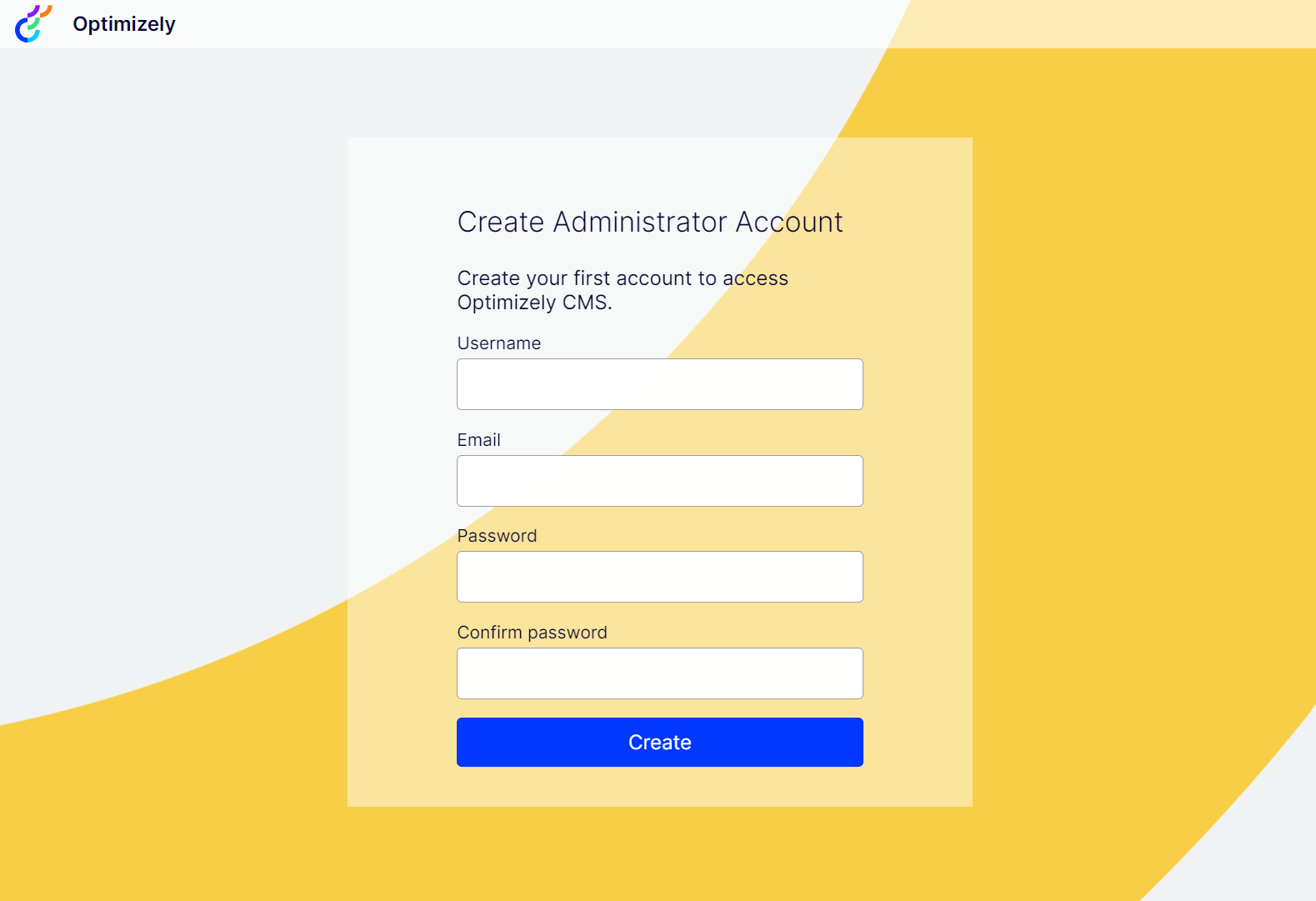
This template previously contained code for creating an administrator user on startup, we have now added this capability in the product instead. This is enabled in all new templates. On first request you are redirected to a view where you can create the first administrator user. This is only enabled on loopback addresses (localhost) and when no user exists.
The following project templates are available:
- Alloy (epi-alloy-mvc)
Demonstration template. The Alloy template contains a site for a fictional company, Alloy Technologies, to demonstrate the most notable features of Optimizely Content cloud and gives you a site that is ready to explore and to learn from. - Empty Content Cloud (epi-cms-empty)
- Empty Commerce Cloud (epi-commerce-empty)
And the following item templates:
- Content component (epi-cms-contentcomponent)
View component for blocks and partial content. - Content Type (epi-cms-contenttype)
- Initialization Module (epi-cms-initializationmodule)
- Scheduled Job (epi-cms-job)
- Page Controller (epi-cms-pagecontroller)
- Razor Page (epi-cms-razorpage)
To use a template, run following command:
dotnet new epi-alloy-mvc --name My.WebThe name option is optional. If you don't provide one, the directory name will be used instead.
To see a list of all available options that are template-specific, run following command:
dotnet new epi-alloy-mvc --helpOptimizely Alloy MVC (C#)
Author: Episerver AB
Description: Example MVC application for testing and learning Optimizely CMS.
Options:
--enable-docker Enable Docker support
bool - Optional
Default: false
--sa-password The password the SA database account should have
string - Optional
Default: Qwerty12345!Hope this helps and improves your experience working with our products. Don’t hesitate to report any issues or suggestions on GitHub at https://github.com/episerver/content-templates. Also, look out for an update of the templates soon with full .NET6 support.
Great news!
Fantastic news! I'm looking forward to using those fresh Alloy templates in the upcoming trainings!