

CMS 6 R2 “File explorer” Page Type
Based on CMS 6 R2
A partner recently inquired about the “File explorer” Page Type that used to be in the CMS 5 Public Templates and it’s availability in CMS 6. My understanding is that we removed it, or did not include it, in the Alloy Technologies Templates. However, it seemed that this would be simple enough to add so I looked into it and confirmed this to be true. Here’s what I did:
1) Exported the Page Type definition from a CMS 5 site
2) Copied the FileManager.aspx, FileManager.aspx.cs, and FileManager.designer.cs from the CMS 5 sites Visual Studio project over to my CMS 6 R2 site
3) Updated the FileManager.aspx to point to the right Master Page and User Controls and updated the TagPrefix on the user controls to “AlloyTech” to keep things clean
4) Compiled
5) Imported the previously exported Page Type definition for the “File explorer” into my CMS 6 R2 site
6) Created a new page and set the desired folder path that I wanted to use for the page
7) Tested
8) Smiled
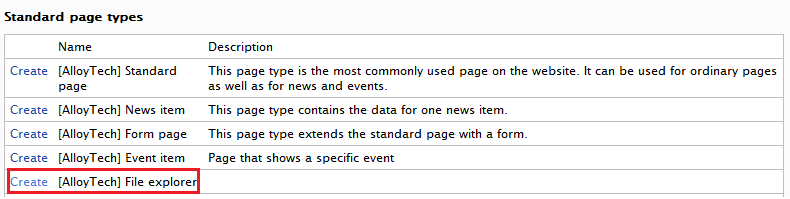
Figure 1 – Create new File explorer Page Type
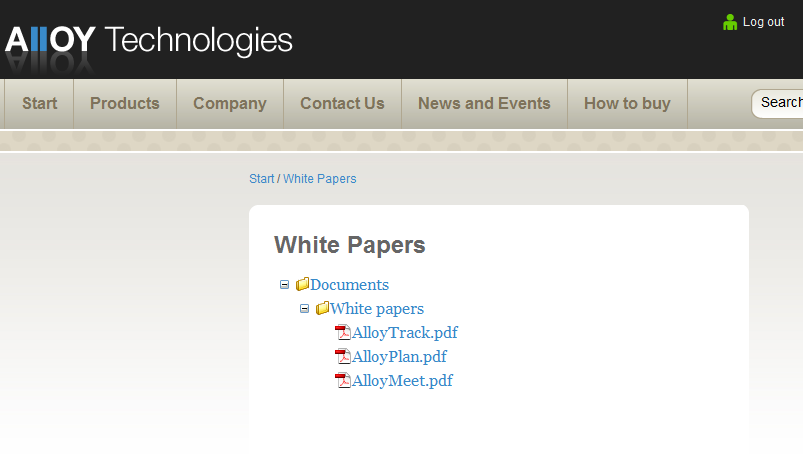
Figure 2 – The rendered page
Nothing groundbreaking here, but I figured I’d share in case I can save anyone else some cycles. The necessary code files and export file can be found here.
This code is provided “as is” without warranty or guarantee of, well, anything actually.  Use at your own risk. Good luck and enjoy!
Comments