Jeff Wallace
Aug 18, 2009
  4408
(0 votes)

Username Field Empty During Document Check In – Office Integration

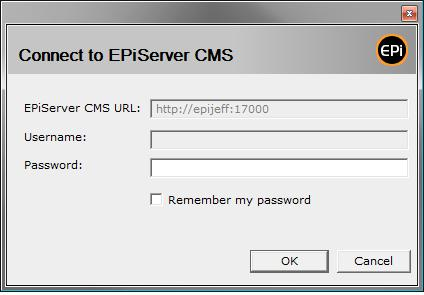
Today I was attempting to check out, edit, and check in a document using the Microsoft Office Integration in CMS 5 SP1.  Upon check in I found the dialog to connect to CMS did not contain my user name.
image

To fix this problem I performed the following steps:

1) Entered Edit Mode

2) Selected the Root folder in the tree

3) Selected the Microsoft Office Add-In tab

4) Selected the Activate tab

5) Selected the Deactivate button

5) Selected the Activate button

Magic. Problem solved! I had been having problems late last week with CMS partially behaving as if I was logged in even though I hadn’t logged in and in the system indicated “You are logged in as: “ with no user name.  I suspect this was related.  Now, with that previous issue resolved and a proper logged in state in CMS deactivate + activate resolved my issue.

Aug 18, 2009

Comments

Please login to comment.
Latest blogs
AEO, GEO and SEO with Epicweb AI Assistant in Optimizely CMS

Traditional SEO remains important, but content must now also be optimized for answer engines and generative AI. This article explains how the Epicw...

Luc Gosso (MVP) | May 11, 2026 |

Accelerating Optimizely CMS and Commerce upgrades with agentic AI (Part 1 of 2)

How Niteco's Upgrade Machine   uses orchestrated AI coding agents to deliver a buildable baseline and a running CMS, then hands over for...

Hung Le Hoang | May 11, 2026

Commerce 15 and CMS 13: Optimizely’s Next Step Toward AI-Powered, Graph-First Commerce

Optimizely is preparing to release Commerce 15 in mid-May 2026 , positioning this as a foundational shift—not just an upgrade. The direction is...

Augusto Davalos | May 7, 2026

The future of Content: Introducing Optimizely CMS 13

Optimizely In the rapidly evolving landscape of digital experience, the "monolithic vs. headless" debate is being replaced by a more sophisticated...

Aniket | May 6, 2026