

Solving issue "405.0 - Method Not Allowed" when accessing WebDAV folder
Problem
Using EPiServer WebDAV you can face the following issue: after setting up WebDAV in EPiServer CMS and client configuration you still cannot access your web folder. Depending on client software you can get different error messages. Windows explorer says that it could not access your resource and suggests to check name spelling. Other clients return errors “Login failed” or something like “Directory listing denied”.
Investigating
To get more details you can enable server side logging for EPiServer WebDAV:
<?xml version="1.0" encoding="utf-8"?>
<log4net>
<appender name="OutputDebugStringAppender" type="log4net.Appender.OutputDebugStringAppender">
<layout type="log4net.Layout.PatternLayout">
<conversionPattern value="%date [%thread] %-5level %type.%method - %message%newline" />
</layout>
</appender>
<logger name="EPiServer.WebDav" additivity="false">
<level value="Debug" />
<appender-ref ref="OutputDebugStringAppender" />
</logger>
</log4net>
DAV Explorer can be used to get detailed log with all sent and received messages on client side.
In my case it turned out that EPiServer.WebDAV.Handler was processing only first OPTIONS requests.
Second request PROPFIND didn’t reach our handler. In respond to PROPFIND client got “405 Method Not Allowed” response from module named WebDAVModule. And this was the cause of the problem.
Cause
WebDAVModule intercepts WebDAV requests so they are not processed by EPiServer.WebDAV handler. Most likely it is not registered in your site config file. You can find it in Modules list for your web site in IIS Manager. 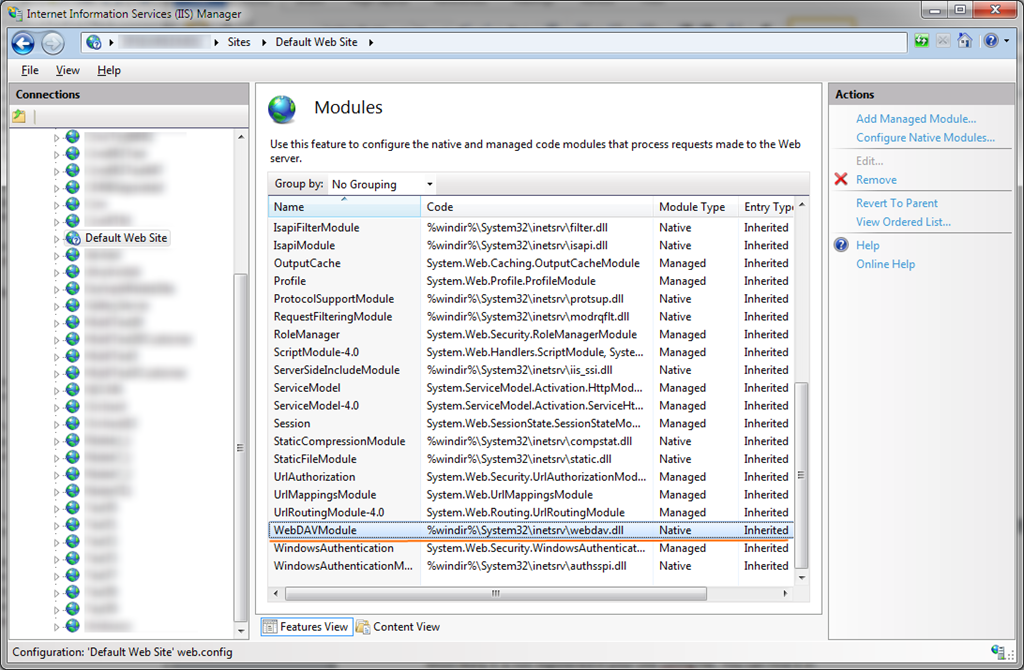
This is native IIS module, on my IIS it is enabled by default on each new web site.
Solution
Remove native WebDAVModule module if you don’t use it:
<configuration>
<system.webServer>
<modules>
<remove name="WebDAVModule" />
</modules>
</system.webServer>
</configuration>
After this EPiServer.WebDAV.Handler should be able to process all corresponding requests. WebDAV configuration guide is updated with this information.
Comments