crli
Mar 25, 2010
visibility 7529
star star star star star
(1 votes)

Shell Playground

Sometimes it’s okay to have fun. A while back we had fun trying things in OnlineCenter and the result is the Playground. For designers this is a catalog of styles available on the dashboard. For developers it’s an insight into the OnlineCenter API.

In the playground project you will find examples of…
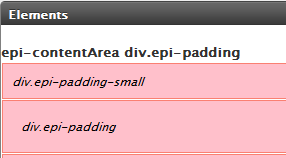
Elements

…CSS classes and element styles


 FormAjax

…server side ajax helpers


FormElements

…form element styles


 JsonTemplate

…an example using jTemplates and json
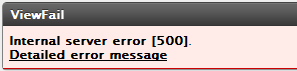
 

ViewFail

…how we deal with errors


Navigation

…adding interfaces to the menu system


SearchProviders

…the AppDomain search provider

As well as a few other things. Keep in mind that this isn't best practice. It's just code.

Download

To try this out you will need to build and configure the project in web.config.

Mar 25, 2010

Comments

error Please login to comment.
Latest blogs
Finding Thomas Part 3 - The Moment of Recognition

Remember Thomas? In digital landscape, Thomas is the returning visitor who reads everything, opens every email, converts on nothing. In standard...

Ritu Madan | Jun 26, 2026

Add more scheduled job settings from the Optimizely CMS 12 admin UI -- with OptiScheduledJob.ExtraParameters

  Optimizely (EPiServer) CMS 12 ships a great scheduled-jobs framework, but it has one frustrating gap: a job has nowhere to store its own...

Binh Nguyen Thi | Jun 25, 2026

Automated Search & Navigation to Graph Migration with Claude Code

A Claude Code plugin that scans your S&N codebase, applies Graph SDK transformations, and validates the result. Install once, run one command. CMS ...

Connor Fortin | Jun 24, 2026

Migrating from Find to Graph: Lessons Learned from a Real CMS 13 Project

While migrating a search solution from Optimizely Search & Navigation (Find) to Optimizely Graph in CMS 13, I encountered several issues that were...

Binh Nguyen Thi | Jun 24, 2026